How to ITI Marksheet & Certificate Download in 2026 | Easy Guide
ITI Marksheet & Certificate Download is an easy online process for ITI students who want to get their official marksheet and certificate from the SIDH portal. Candidates who have completed their 1st or 2nd Year CBT exam can download their ITI marksheet and provisional certificate quickly by visiting the official website. You need your registration number or roll number to access the documents.
ITI Marksheet & Certificate Download Step-by-Step Guide to from the Skill India Digital (SIDH) Portal
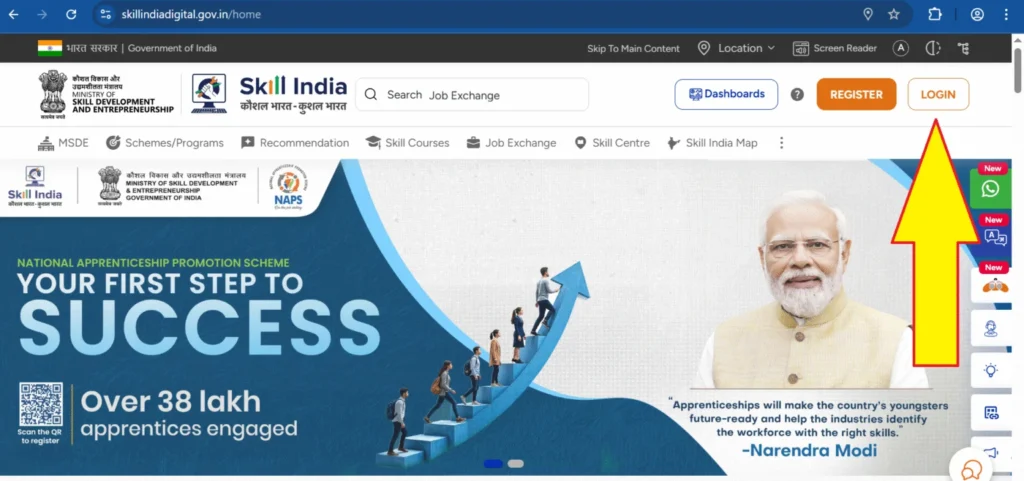
Step 1: First, visit the official Skill India Digital (SIDH) Portal at www.skillindiadigital.gov.in.
Step 2: Go to the Login section and sign in using your Username and Password.
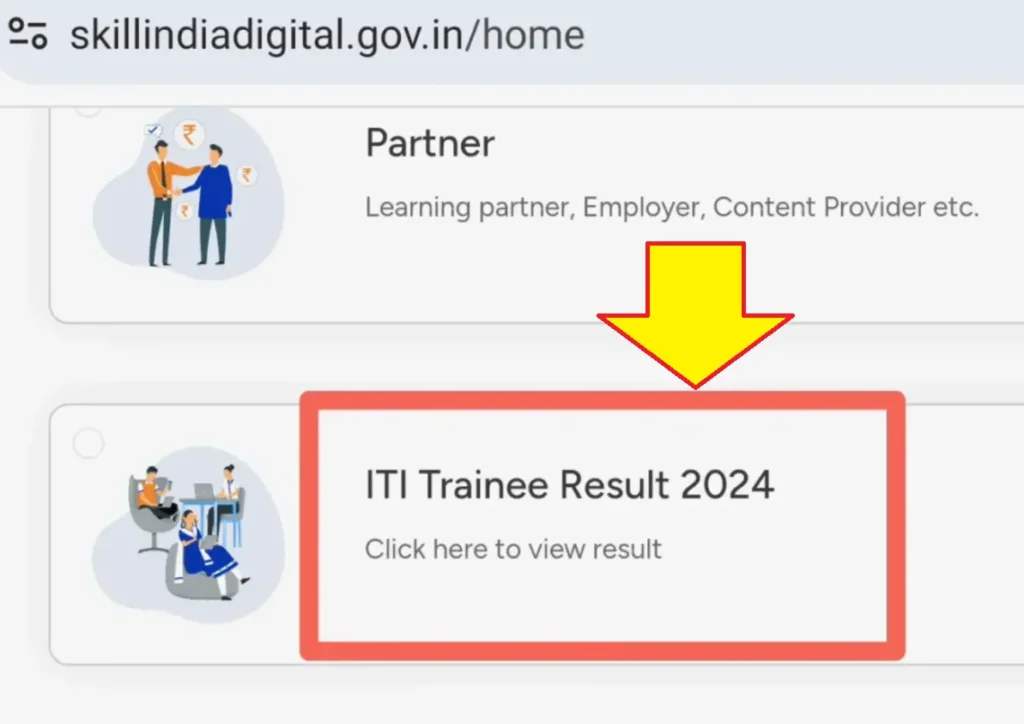
Step 3: After logging in, you will see three options on the screen: ‘Learner’, ‘Partner’, and ‘ITI Trainee Result 2024’. All 1st year and 2nd year ITI trainees must click on ‘ITI Trainee Result 2024’.
Step 4:
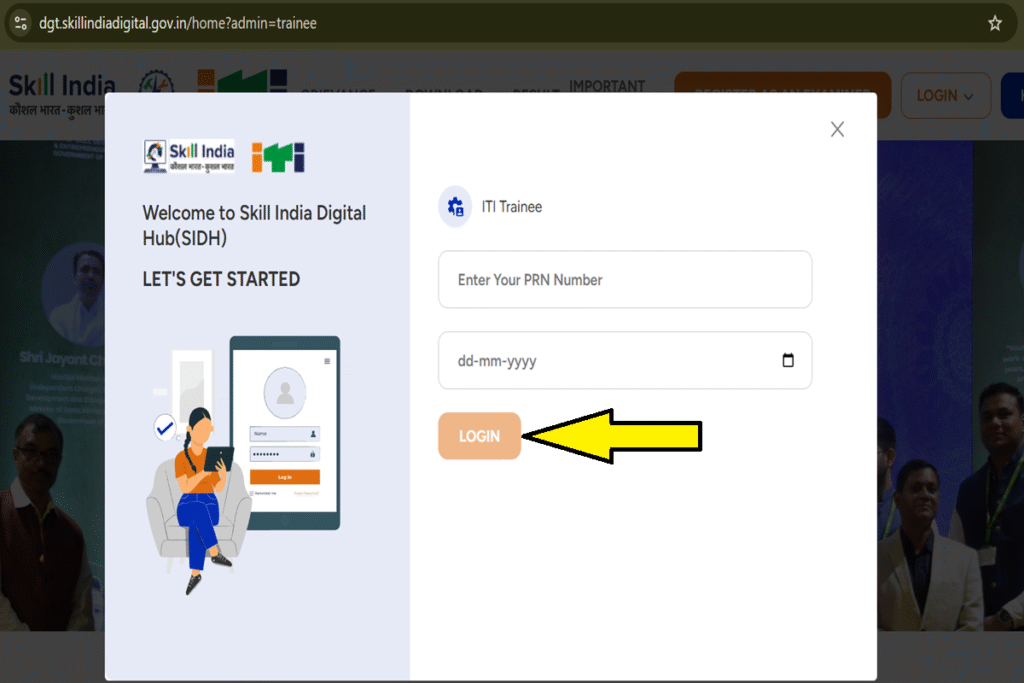
A new page will appear where you need to enter your Roll Number / PRN Number and Date of Birth to proceed.
Step 5:
After clicking the Submit button, your dashboard will open.
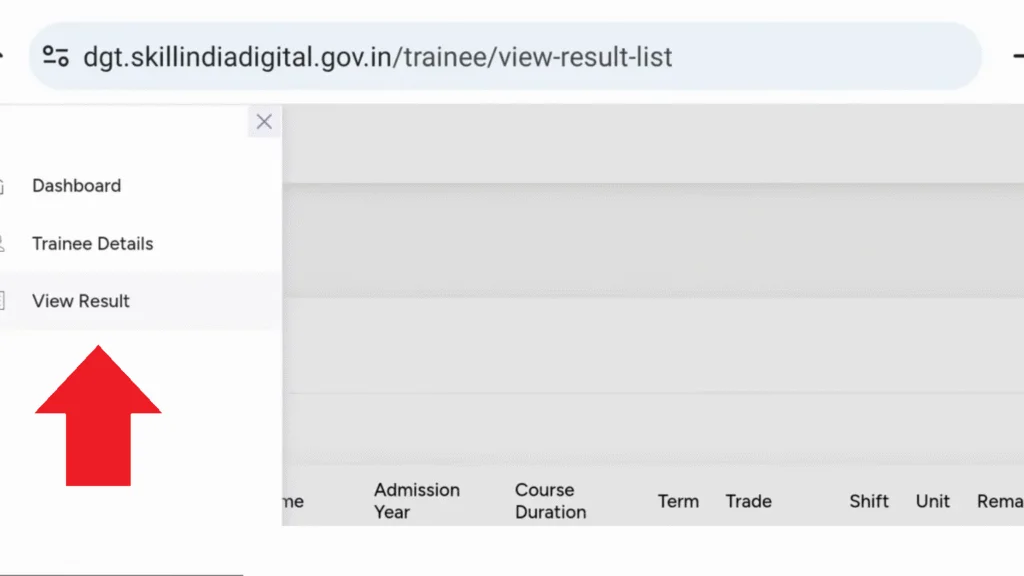
Tap the three-dot menu on the top-right corner to access your trainee details, such as View Result, Download Marksheet, and Download Certificate.
Step 6:
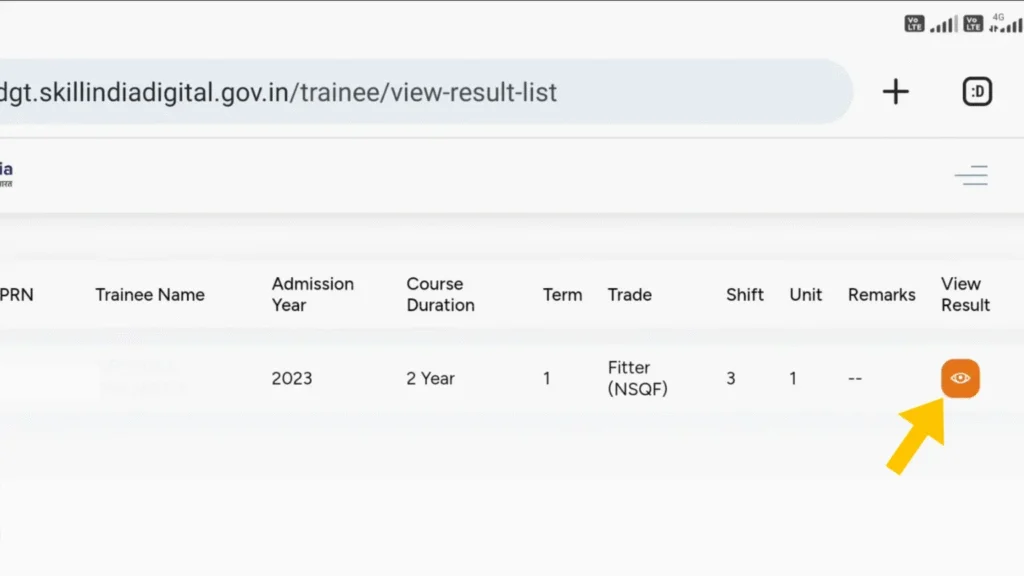
Click on the ‘View Result’ option to check your NCVT ITI Result.
Step 7:
Your ITI result will now be displayed on the screen, and you can also download your original ITI Marksheet and ITI Certificate directly from this page.
Click here below to view ITI result, ITI Marksheet and ITI E-Certificate download–