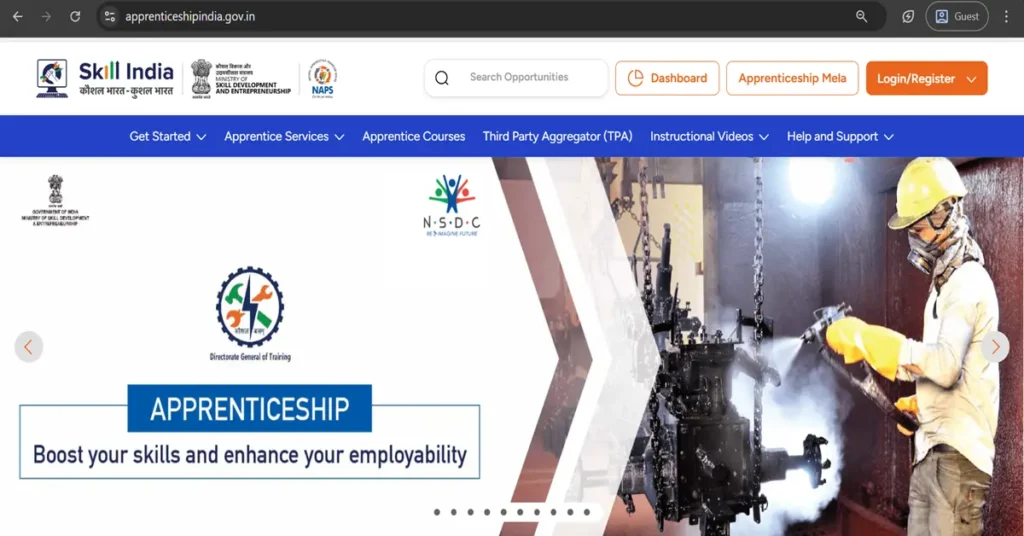
How to Register on ITI Apprenticeship India Portal in 2026 | Easy Guide
Learn how to register on the ITI Apprenticeship India (NAPS) portal with this clear step-by-step guide. Includes required documents, registration steps, eKYC process, profile completion, and how to apply for apprenticeship opportunities.
The ITI Apprenticeship India Portal (NAPS / NATS) allows ITI students and skilled youth to register and apply for apprenticeship opportunities in various government and private organizations. To help you complete the registration smoothly, here is a detailed, professional step-by-step guide.
Documents Required for Registration
Before you start, keep the following documents ready:
Aadhaar Card (for eKYC verification)
Active Mobile Number and Email ID
ITI Marksheet or Certificate
Recent Passport-size Photo (JPG/PNG)
Bank Account Details (Account No., IFSC – Aadhaar-linked preferred)
Make sure all information is correct before saving.
Step 7: Complete Aadhaar eKYC
Aadhaar verification is essential for identity confirmation and stipend payment. Verify through OTP or the biometric option, depending on portal instructions.
Step 8: Upload Your Documents
Upload clear and valid copies of:
ITI Marksheet / Certificate
Passport-size Photograph
Aadhaar Card (if required)
Bank Details (optional but recommended)
Ensure file size and format follow the portal’s guidelines.
Step 9: Save and Submit Your Profile
Review all details carefully. Submit your profile to complete the registration process.
Step 10: Search for Apprenticeship Opportunities
Go to the “Search Apprenticeship Opportunities” section in your dashboard. Use filters such as:
State
District
Trade
Sector
Company Name
Select a suitable apprenticeship and click Apply.
Step 11: Track Your Application
You can check your application status directly from your dashboard. You may receive notifications through:
Email
SMS
Portal messages
Follow the instructions for interviews or document verification.
Important Tips for a Smooth Registration
Keep your mobile number and email active at all times.
Use clear scanned copies of all documents.
Make sure your bank account is Aadhaar-linked for faster stipend payments.
If any error occurs, check the portal’s helpdesk section or contact your local apprenticeship office.
Conclusion
Registering on the ITI Apprenticeship India Portal is simple if you follow the steps carefully. Once your profile is complete, you can apply for multiple apprenticeship opportunities across India and start your career journey.